


Download Windows 7 Firewall Control – Free, Secure Firewall Tool for Windows
Itemprop="description">Windows 7 Firewall Control is a lightweight, free firewall application designed specifically for Windows Vista and Windows 7 users. Developed by Sphinxsoft, this tool enhances system security by offering granular control over incoming and outgoing network traffic. Unlike the built-in Windows Firewall, which can be limiting and complex to configure, Windows 7 Firewall Control simplifies the process with an intuitive interface. It’s ideal for users who want to monitor and manage app-level network permissions without the complexity of advanced firewall settings. With a minimal footprint and a straightforward setup, it’s a reliable choice for both home users and small businesses seeking enhanced protection.
Enhanced Network Security with User-Friendly Firewall Management
Windows 7 Firewall Control stands out in the crowded field of security software by focusing on simplicity and effectiveness. While the native Windows Firewall provides basic protection, it often lacks the level of detail and control that power users or privacy-conscious individuals require. This is where Windows 7 Firewall Control shines. The software allows users to monitor and manage which applications can access the internet, both inbound and outbound. Whether it’s a legitimate program trying to connect or a suspicious process attempting to send data without permission, the tool prompts users with clear alerts and offers immediate decisions: allow, block, or ask again.
One of the key advantages is its real-time monitoring. Every time an application attempts to connect to the internet, the user receives a pop-up notification with the program name, path, and network activity type. This transparency empowers users to make informed decisions about their system’s network behavior. For example, a background app that’s sending data to an unknown server can be blocked instantly, preventing potential data leaks or malware communication. The interface is clean and minimal—no clutter, no unnecessary features—just straightforward firewall control.
Additionally, the software integrates seamlessly with the Windows environment. It runs quietly in the background and doesn’t slow down your system, even on older hardware. Its low resource usage makes it perfect for machines with limited RAM or processing power. With over 92,000 downloads since 2011 and consistent usage in countries like India, the United States, and Indonesia, it has proven its reliability and popularity among users who value privacy and control. For those looking for a free, secure, and lightweight firewall tool, Windows 7 Firewall Control delivers on all fronts.
Key Features That Make It a Must-Have for Windows 7 Users
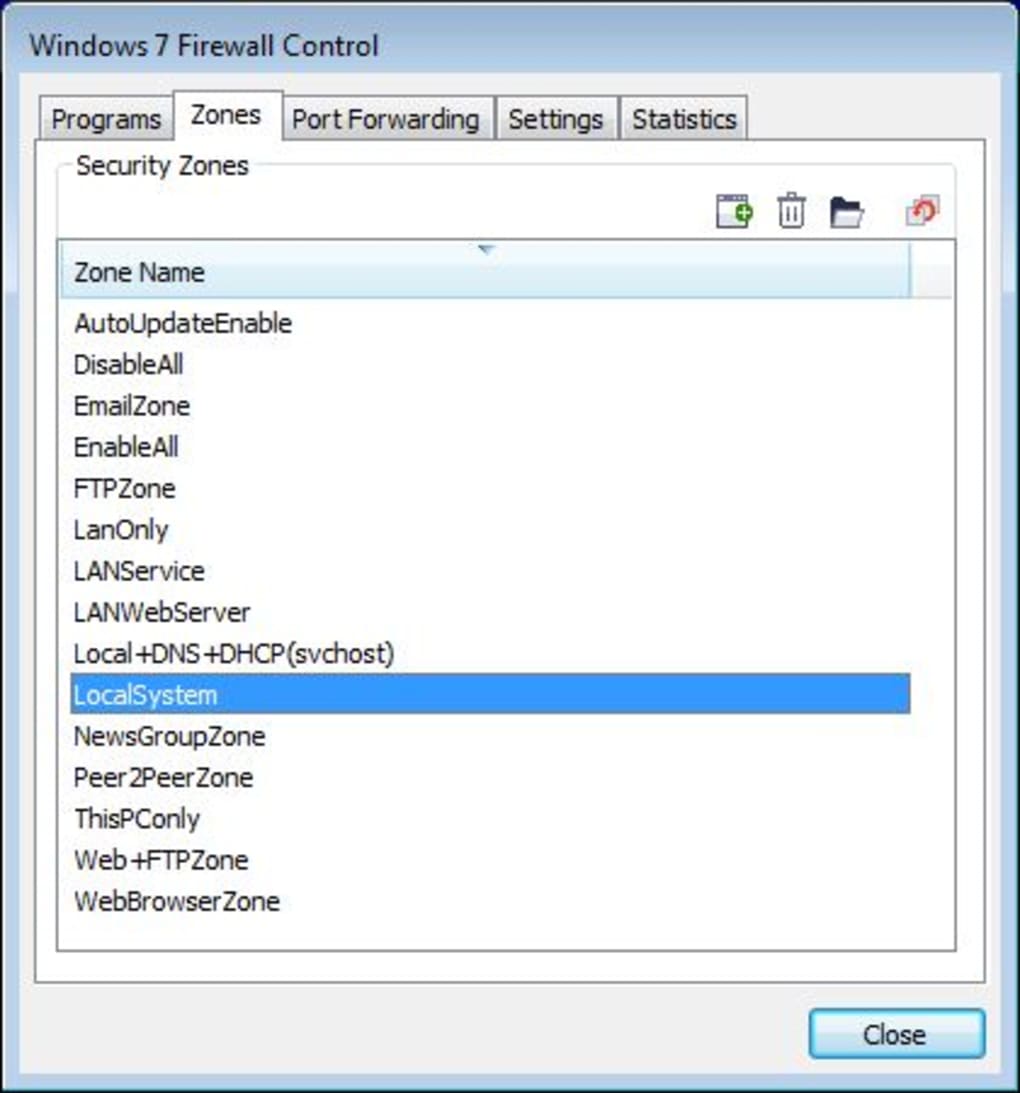
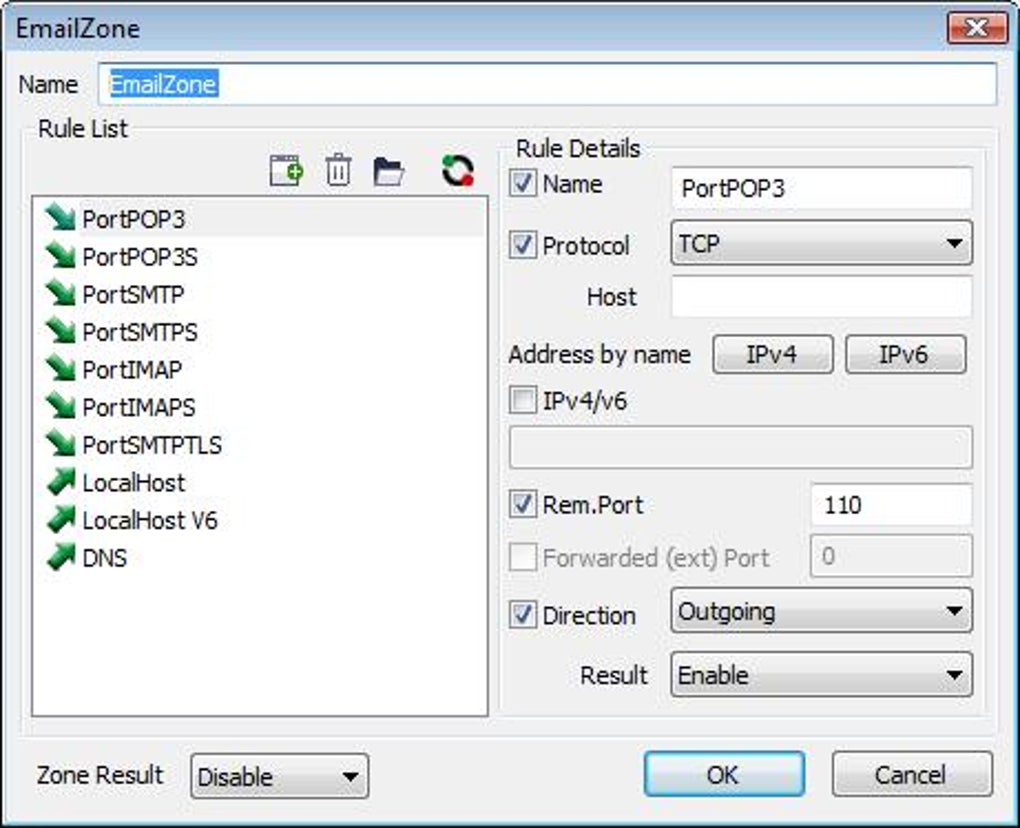
Windows 7 Firewall Control offers a powerful yet accessible set of features tailored to improve network security on older Windows systems. One of the standout features is its application-level firewall control. Unlike the default Windows Firewall, which often groups applications under broad rules, this tool allows users to define precise rules for individual programs. You can set rules based on the executable file, its location, and even the type of connection (inbound or outbound).
Another valuable feature is the rule persistence. Once you allow or block an application, the decision is remembered across reboots. This eliminates the need to reconfigure settings every time you start your computer. The software also supports automatic rule creation based on user behavior—when you consistently allow or block a program, it learns and applies the setting automatically.
For users who want deeper insights, the connection history log provides a detailed record of all network activity. You can review past connections, identify suspicious behavior, and even export logs for analysis. The tool also includes silent mode, which hides notifications for trusted applications, reducing interruptions while maintaining security. With support for both IPv4 and IPv6, it’s future-ready even on older systems.
Other notable features include:
- Free to download and use – No hidden costs or trial limitations.
- Lightweight design – Uses minimal system resources.
- Simple, intuitive interface – Easy to navigate for beginners.
- Support for Windows Vista and Windows 7 – Ideal for legacy systems.
- Regular updates – Maintained for stability and compatibility.
Installation, Usage, and Compatibility
Installing Windows 7 Firewall Control is a breeze. The software is available as a standalone executable, meaning no complex setup wizard or lengthy installation process. Simply download the installer from the official website, run it, and follow the on-screen instructions. The entire process takes less than a minute and doesn’t require administrative privileges for basic use. Once installed, the application runs in the system tray, ready to monitor network activity.
Upon first launch, the tool will prompt you to enable firewall protection. After enabling, it begins monitoring all network connections in real time. The first few minutes after installation may involve several pop-up alerts, especially if you have background apps or services trying to connect.
This is normal and part of the learning phase. You can choose to allow, block, or ask again for each connection. Over time, as you build a trusted list of applications, the number of prompts will decrease significantly.
Windows 7 Firewall Control is compatible with Windows Vista (SP2 or later) and Windows 7 (32-bit and 64-bit). It does not support Windows 8, 10, or 11, which is important to note for users on newer systems. The software is available in English and does not require an internet connection to function after installation. It’s particularly well-suited for older machines that may not handle modern antivirus suites efficiently. For users still running legacy Windows versions, this tool is a reliable, secure, and free alternative to more complex firewall solutions.
Pros and Cons: Is Windows 7 Firewall Control Right for You?
Before downloading any software, it’s wise to weigh the pros and cons. Here’s a balanced look at what makes Windows 7 Firewall Control a strong choice—and where it might fall short.
Pros
- Free and open to all users – No trial, no paywall, no ads.
- Lightweight and fast – Minimal impact on system performance.
- Simple, user-friendly interface – Easy to understand and use.
- Granular control over app permissions – More detailed than built-in Windows Firewall.
- Real-time monitoring and alerts – Immediate visibility into network activity.
Cons
- No support for Windows 8/10/11 – Not compatible with newer operating systems.
- Last update in 2011 – No recent development, though stability is maintained.
- Basic logging features – Advanced users may want more detailed analytics.
- No mobile versions – Available only for desktop Windows.
Despite its age, the software remains functional and secure for its target audience. Its simplicity and reliability make it a solid choice for users still on Windows 7 or Vista who want better control over their network security.
Frequently Asked Questions (FAQ)
Is Windows 7 Firewall Control free to download?
Yes, Windows 7 Firewall Control is completely free to download and use. There are no trial periods, no hidden fees, and no advertisements. It’s a fully functional tool available at no cost.
Does it work on Windows 10 or Windows 11?
No, Windows 7 Firewall Control is not compatible with Windows 10 or Windows 11. It is designed exclusively for Windows Vista and Windows 7.
How does it compare to the built-in Windows Firewall?
The built-in Windows Firewall is basic and often difficult to configure. Windows 7 Firewall Control offers a more intuitive interface, real-time alerts, and finer control over individual applications, making it far more user-friendly and effective.
Can I block specific applications from accessing the internet?
Yes, you can block any application from accessing the internet with a single click. The tool prompts you every time an app tries to connect, giving you full control over what’s allowed.
Is it safe to use on older systems?
Yes, it’s specifically designed for older systems like Windows 7 and Vista. Its lightweight design ensures it runs smoothly without slowing down your machine.
Final Verdict: A Trusted Firewall Tool for Legacy Windows
Windows 7 Firewall Control remains a reliable, free, and secure option for users still running Windows Vista or Windows 7. While it hasn’t been updated in over a decade, its core functionality remains intact and effective. For those who value simplicity, transparency, and control over their network activity, this tool is a must-have. It’s not just a firewall—it’s a smart, lightweight security companion that enhances privacy without sacrificing performance.
If you’re using an older Windows system and want a no-nonsense way to monitor and manage app connections, download Windows 7 Firewall Control today. It’s a free, secure, and proven solution that continues to serve thousands of users worldwide. Don’t let outdated systems compromise your security—take control with this trusted tool.
Download now and experience better network protection on your Windows 7 or Vista machine.







